
Model Releases
Product Motion Ads Land in Marketing Studio: 28 Templates, 7 Styles, 7 Models
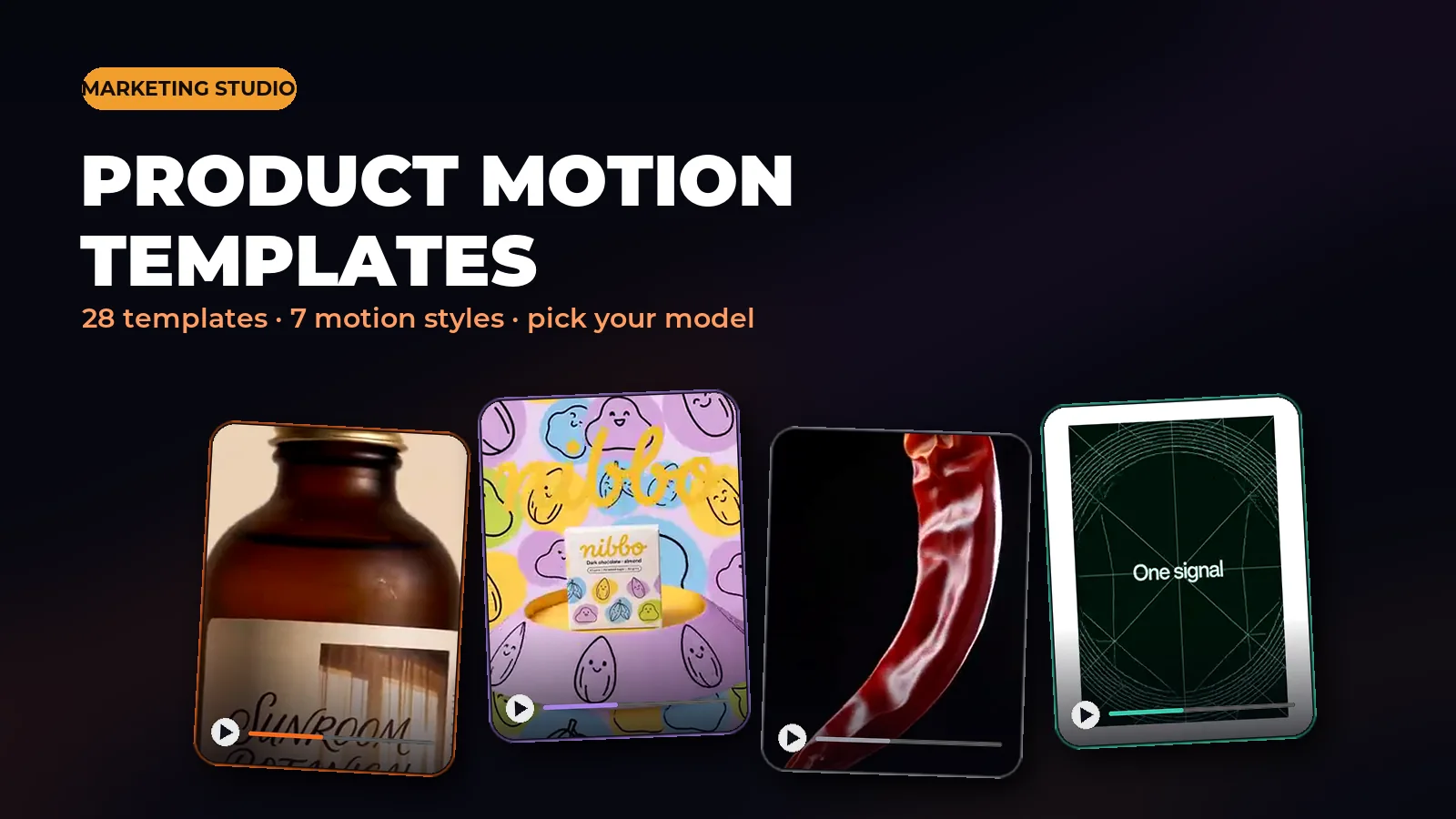
Marketing Studio shipped a new tab today: Product Motion. It sits alongside the existing UGC ad templates, but it is built for a different kind of ad - one where the product itself is the whole show, no presenter required. Three things came with it: 28 ready-made templates across 7 motion styles, a style picker that shapes the direction of whatever you generate, and a model picker in the prompt bar so you choose exactly which engine renders your video and see the price before you commit.
What a product-motion ad actually is
If a UGC ad is a person talking to camera about a product, a product-motion ad is the product doing the talking - through camera movement, light, and graphics instead of a face. Think of the kind of ad you see for a skincare bottle, a snack bag, or a phone case where the whole 5-15 seconds is the product spinning on a pedestal, catching light, or getting explained by animated callouts, without anyone ever appearing on screen.
That makes it a different fit than a UGC ad: no presenter to cast, no talking-head delivery to write, no lip sync to worry about. You upload a product photo (or a few reference angles), pick a template, and the template's prompt direction tells the model what to do with your product - orbit it, drop droplets and powder around it, wrap flat graphics around it, whatever the style calls for.
28 templates across 7 motion styles
Every template belongs to one of 7 styles, and every one previews with a real sample clip before you commit to it:
- Hypermotion - macro physics on the product itself: water droplets, powder bursts, glossy pedestal spins, fast whip-pans.
- 2D Product Motion - flat, storybook-style vector graphics and cut-paper shapes animate around a photoreal product.
- Typography - oversized kinetic type leads every beat, landing on a clean, well-lit shot of the product.
- Dark Minimalism - the product alone on a black or charcoal stage, one dramatic light, slow macro camera moves.
- Color Pop - bold saturated flat-color backdrops and graphic splash shapes around the product.
- Mixed Media - a collage treatment: fisheye distortion, film grain, vintage label art or holographic chrome.
- SaaS - clean flat app UI, wireframe grids and orbiting feature icons, for explaining a product like a software launch.
The style picker: one click, applied to the whole prompt
You do not have to start from one of the 28 templates. Pick any of the 7 styles directly from the style picker and it appends that style's direction to your own prompt, so a blank product-motion prompt still comes out looking like Hypermotion, or SaaS, or whichever style you chose - consistent with the template gallery, without hunting for the closest matching template.
The model picker: pick the engine, see the price
The prompt bar now has an explicit model picker for Product Motion. Every option is pay-as-you-go credits, and the price shows before you generate:
- Seedance 2.0 (Default) - balanced quality and speed, 480p/720p/1080p, clips 3-12 seconds.
- Seedance 2.5 (Best) - the newest engine, sharper detail, clips up to 30 seconds.
- Seedance 2.0 Pro - Seedance 2.0 locked to full 1080p.
- Seedance 2.0 Mini (Budget) - a lightweight tier for fast, cheap drafts at 480p/720p.
- MiniMax H3 (Fast) - native audio generated with the clip, cinematic motion, up to 15 seconds.
- Wan 3.0 - general-purpose reference video, up to 30 seconds.
- Max (Wan 3.0 Prime) - the highest-quality tier of Wan 3.0, same 30-second window.
Resolution and duration follow the model
Once you pick a model, the resolution and duration options in the prompt bar update to match what that model actually supports - so you are never offered a setting the engine cannot deliver. Seedance 2.0 and Seedance 2.5 both go up to 1080p; Seedance 2.0 Pro is 1080p-only; Seedance 2.0 Mini tops out at 720p; MiniMax H3 runs 768p or 2K instead of the usual 480/720/1080p ladder; Wan 3.0 and Max cover 480p through 1080p across the full 2-30 second range.
How to make one
The flow is the same whether you start from a template or a blank prompt:
- Open Marketing Studio and switch to the Product Motion tab.
- Pick a template from the 28 (or start blank and pick a style instead).
- Upload your product photo - one clear reference shot is enough to start.
- Choose a model from the picker, and set resolution and duration if you want something other than the default.
- Check the price shown next to Generate, then generate. Credits are only charged for generations that complete.
Which model, when
A quick way to choose: use Seedance 2.0 for a normal-length ad at a fair price - it is the default for a reason. Reach for Seedance 2.5 when you want the sharpest result or need more than 12 seconds. Drop to Seedance 2.0 Mini when you are iterating on a concept and do not need the final-quality pass yet. Pick MiniMax H3 when the clip needs its own audio baked in and you want it fast. And use Wan 3.0, or its Max tier for the highest quality, when you are building a longer reference-driven clip up to 30 seconds.
Product-only, on purpose
Product Motion templates never cast a presenter - that is deliberate. If your ad needs someone talking to camera, holding the product, or giving a testimonial, the UGC templates already in Marketing Studio are built for that instead. Product Motion is for the ads where the product carries the whole shot.
Try it in Karya
Generate images and videos with frontier AI models from one canvas. Subscribe from $19/mo, or top up from $5 - 200 bonus credits with your first purchase, and top-up credits never expire.
Start free