
Model Releases
Vidu Q4 Is Live in Karya: 15 References, Voice Matching and Up to 4K
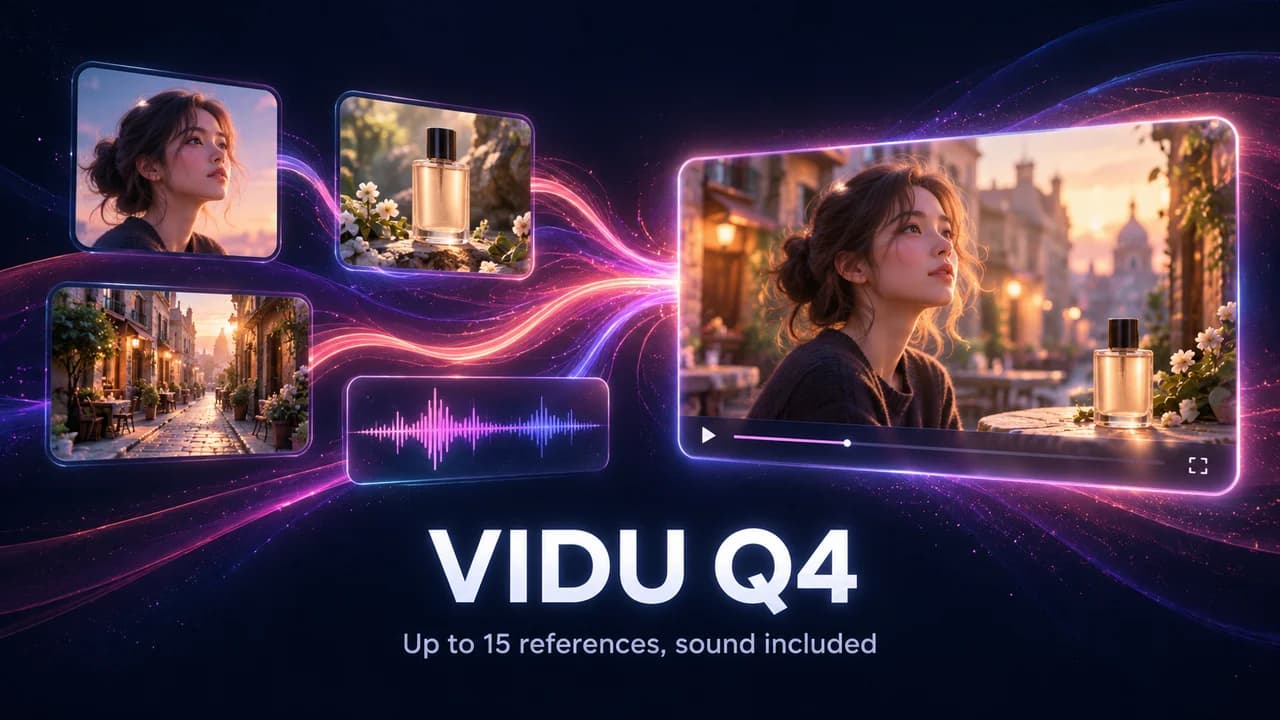
Vidu Q4 is now live in Karya Studio. It is built around references: show it who or what should be in the video, and it animates them with sound, from a quick 540p draft all the way up to 4K.
Two modes, both starting from your pictures
- Vidu Q4 (Image): one image becomes the first frame of a 3 to 16 second clip. The clip keeps the image's shape, so a vertical photo gives you a vertical video. The prompt is optional.
- Vidu Q4 (Reference): upload from 1 to 15 reference images and, if you want a particular voice, up to 3 MP3 clips of 3 to 12 seconds. Choose 16:9, 9:16, 1:1, 4:3 or 3:4. The prompt is required, and you refer to your uploads by order.
How to prompt Reference mode
The model reads your uploads in the order you added them, so the prompt should say what each one is. A prompt that works well follows a simple pattern: scene first, then who is in it, then what they say or do.
- "In the scene of reference image 1, the woman in reference image 2 hands the box to the man in reference image 3 and says: here you go".
- "The man in reference image 2 greets the customer using reference audio 1" ties a face to a voice.
- Keep the number of people small. Three or four clear references make a stronger video than fifteen mixed ones.
- Use plain, well-lit reference images; a blurry or heavily cropped reference gives you a blurry or drifting character.
Sound is built in
Dialogue and sound effects are generated together with the picture, so a 10-second clip arrives with its audio already in place. If you want to add your own music or voice-over later, switch the audio off and you get a silent clip.
Pick the resolution for the job
Because the price scales with resolution, treat it as a drafting ladder. Start at 540p to check the idea, move to 720p or 1080p for a version you can share, and use 2K or 4K only for the final shot you will publish.
- 540p: about 6 credits per second, 32 credits for 5 seconds.
- 720p: about 13 credits per second, 67 credits for 5 seconds.
- 1080p: about 17 credits per second, 84 credits for 5 seconds.
- 2K: about 27 credits per second, 133 credits for 5 seconds.
- 4K: about 55 credits per second, 273 credits for 5 seconds.
Good uses
- A product ad where the same bottle, box or app screen stays recognisable across the clip (put the product in the reference set).
- A short talking clip in a chosen voice, from one portrait and one MP3.
- A scene with two or three characters that need to look like specific people.
- Turning a still poster or a photo into a short moving social clip.
Try it
Open the Video Studio, pick Vidu Q4 (Reference), add your images, and start with a 3-second 540p test, which costs about 19 credits. Credits never expire, and a failed generation is refunded automatically.
Try it in Karya
Generate images and videos with frontier AI models from one canvas. Subscribe from $19/mo, or top up from $5 - 200 bonus credits with your first purchase, and top-up credits never expire.
Start freeKeep reading